Your Browser Arena Field Guide

WoW Arena Browser.Find your game.
Prepare for the arena.

Can’t find “WoW Arena Browser”? It is a search phrase, not one official game title. Try Arena of Champions or WebWoW for PvP, or Azeroth Survivors for solo waves. No WoW installation required.

Compare the games, learn the controls and prepare for your next match with our browser arena beginner guide.

  • Plays in your browser
  • Free to play
  • PvP & solo survival
  • Guest play available

Last updated: · Unofficial fan site

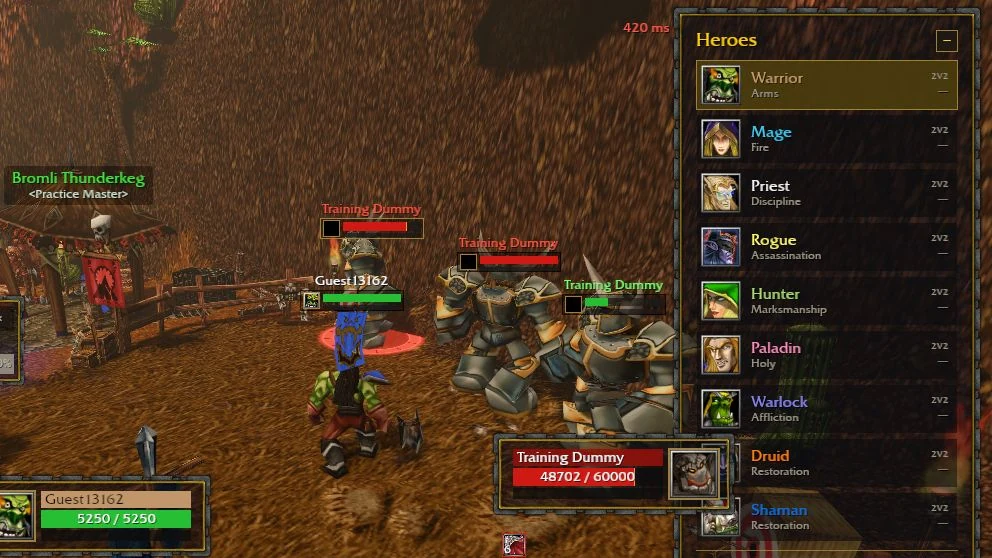
Arena of Champions gameplay screenshot showing a Warrior practising against training dummies beside the Heroes panel
ARENA OF CHAMPIONSIN-GAME CAPTURE · 30 OCT 2026

01 / Find your game

Choose your next battleground.

Competitive arena or a solo adventure. Pick the pace that suits you.

Arena of Champions — artwork from arenaofchampions.live▶ Play hereImage: arenaofchampions.live

Arena of Champions

▶ Play in browser here

Nine classes, three arena brackets. Try your abilities as a guest, then explore 1v1, 2v2 or 3v3. Save an account when you want a lasting identity.

  • 9 classes
  • 1v1 · 2v2 · 3v3
  • Guest practice
Play NowArena of Champions field guide →
WebWoW — artwork from webwow.worldOfficial site ↗Image: webwow.world

WebWoW

↗ Opens official site

WoW PvP in your browser: choose from 9 classes, duel other players or team up for 2v2 arena. Try it as a guest.

  • Duels
  • 2v2 arena
  • 9 classes
Visit WebWoWRead the WebWoW guide →
Azeroth Survivors — artwork from wow.aethus.plOfficial site ↗Image: wow.aethus.pl

Azeroth Survivors

↗ Opens official site

Single-player, survivor-style auto-shooter set in a WoW world. Needs WebGPU; optional official Windows download.

  • Survivor-like
  • Single-player
  • WebGPU
Play NowRead the Azeroth Survivors guide →
  • Free to play

    All three games are free fan projects with no subscription.

  • Plays in your browser

    Open a URL and play. Azeroth Survivors also offers an optional Windows download.

  • Multiple games

    Two PvP arena games and a survivor-style shooter in one place.

  • Fan-run, unofficial

    Independent guides. Never enter your Battle.net login on a fan site.

Play now

Arena of ChampionsTry a class as a guest. Explore 1v1, 2v2 or 3v3 and read the current save-account prompt.
Open in new tabBest with keyboard & mouse. Click inside the game to use your keyboard. Not loading? Use Open in new tab.

Game by its original developers, embedded from arenaofchampions.live. Unofficial fan site.

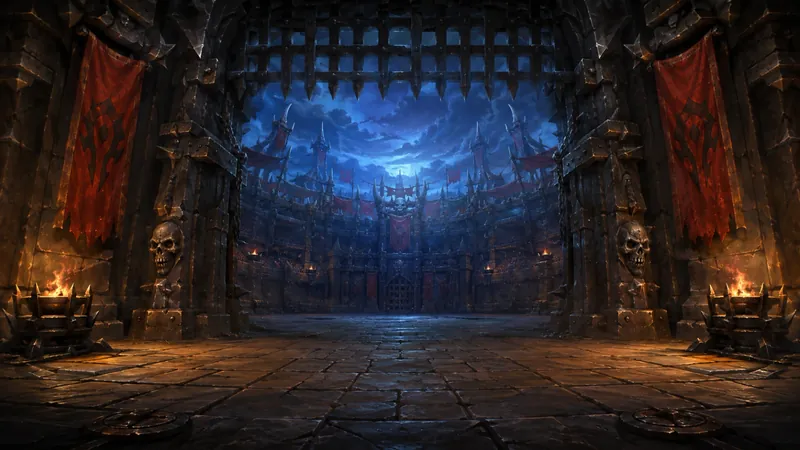
Illustration of a fantasy arena at night

02 / Learn the basics

Your first match starts here.

WoW-inspired browser games bring class abilities, duels and team fights into a browser tab. Choose a game above, then spend a little time learning how your character moves, survives and helps a team.

In Arena of Champions, a guest session lets you explore and practise against bots. Pick a class and specialization, find your interrupt and defensive abilities, and try them before joining a rated queue. Read the current queue and save-account prompts before relying on lasting progress.

New to the game? The beginner's guide → explains practice, controls and your first queue. These are independent fan projects; play and manage your account on each game's official site.

03 / Before the gates open

Find a playstyle you want to learn.

Arena of Champions has nine classes: Warrior, Mage, Priest, Rogue, Hunter, Paladin, Warlock, Druid and Shaman. Start with a role you enjoy, then explore its specializations.

Warrior and Rogue focus on melee damage. Mage, Hunter and Warlock offer ranged pressure. Priest, Paladin, Druid and Shaman have damage or healing specializations, so your role depends on the build you choose.

Browse the class directory → for abilities and specializations. Learn your core buttons before worrying about a perfect build.

Three steps to your first queue.

  1. Explore as a guest. Open the official game, choose a class and get comfortable with movement and targeting.
  2. Practise with a purpose. Find the Practice Master in town to try bot matches. Learn your main damage or healing ability, one defensive and one interrupt.
  3. Queue when you are ready. Read the current queue prompt, choose 1v1, 2v2 or 3v3, and agree on a target with your teammates.

After each match, pick one thing to improve: a missed interrupt, a late defensive, or losing sight of your healer. Take that situation back into practice.

Give your team a plan.

Talents shape how a class plays; a team composition determines how those choices work together. Plan around damage, healing and control, and avoid spending every defensive cooldown at once.

The talent planning guide → and composition builder → can help you compare options before playing. Check current in-game tooltips and the patch notes → when a build or ability changes.

Prefer a different pace? WebWoW offers duels and 2v2 arena, while Azeroth Survivors is a solo survival game. The directory above links to each official site.

A few things to know

Before you enter the arena.

Why can’t I find a game called WoW Arena Browser?

WoW arena browser is a search phrase covering several independent fan games. Look for Arena of Champions or WebWoW for PvP; Azeroth Survivors is a solo survival game. This site helps you identify them and find their official clients.

Is WoW Arena Browser free?

Yes. This guide is free to use, and Arena of Champions, WebWoW and Azeroth Survivors are free fan projects. There is no World of Warcraft subscription required to try them.

What is Arena of Champions?

A free, WoW-inspired PvP arena game with nine classes and 1v1, 2v2 and 3v3 brackets. Play the browser version or find the Windows client on arenaofchampions.live ↗. Read our Arena of Champions guide for class, practice and team preparation notes.

Do I need an account to play?

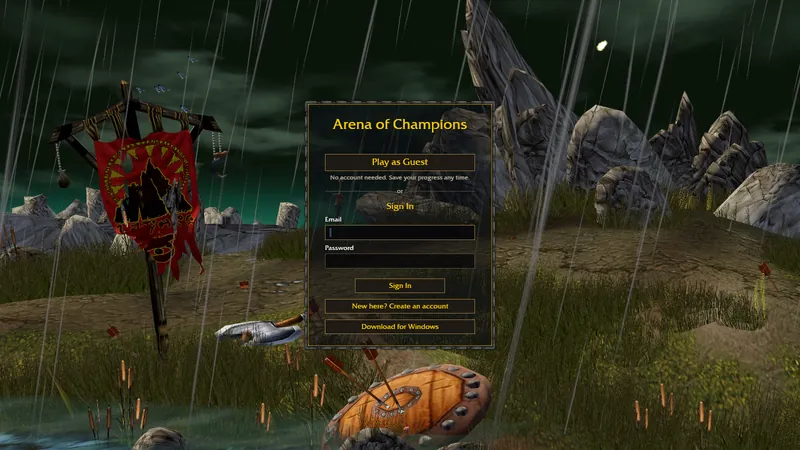
In Arena of Champions, you can enter as a guest to explore and practise. The current login says you can save your progress at any time; read the client’s queue and account prompts before relying on a guest long-term. WebWoW also offers guest play. A guest session should not be treated as a permanent account.

Do I need to download anything?

Arena of Champions has a browser version and an optional Windows client through its official site. WebWoW plays in the browser. Azeroth Survivors requires WebGPU for browser play and also offers an optional Windows download. You do not need to install World of Warcraft.

Can I play on my phone?

A desktop browser, keyboard and mouse are the best starting point for arena combat. WebWoW offers touch controls, but mobile support differs by game. Read our mobile and Android guide and check the official client before relying on a phone or tablet.

Which class should I start with?

Choose a role you enjoy: melee damage, ranged pressure or healing. Try a class in bot practice and learn its core attack, defensive and interrupt. Use the class directory → to compare specializations.

Where can I plan talents and teams?

Our talent planning guide → and composition builder → help you explore options for Arena of Champions. Check the current game tooltips and patch notes when making a build.

Is this an official Blizzard game?

No. These are independent fan projects, and this site is an unofficial guide. Use the official game links provided here and never enter your Battle.net credentials on a fan site.