
What is WebWoW World?
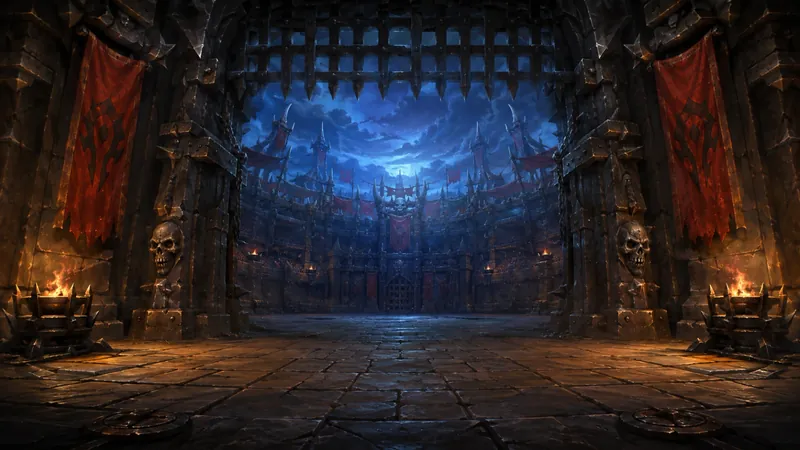
WebWoW is a free, independent browser game built around WoW-style duels and 2v2 arena. People also search for “WebWoW World” because the playable address is webwow.world. The official landing page advertises nine classes and guest entry without an email. It provides a direct way to try class-based combat without installing World of Warcraft or starting an MMO leveling journey first.
This directory keeps its WebWoW guide, comparison and setup help on arenabrowser.com. Playing opens the developer’s client in its own tab because the official site does not permit the embedded experience used for Arena of Champions. That is expected behavior, not a missing local article. The external play action is labelled with the official domain so you can distinguish a game launch from navigating through our guides.
The game has its own implementation of familiar class identities. Do not assume that retail WoW gear, characters, macros or progression can be imported. A matching specialization name also does not establish that its abilities work like Arena of Champions. Use the current character preview and tooltips to learn what this client actually offers. If you want 3v3 or a different practice setup, read the comparison with Arena of Champions before choosing a session.
Start as a guest and inspect the character screen.
Choose Play as guest on the official landing screen. In the live entry flow checked for this guide, the game assigns a guest nickname and presents a character-selection panel. That screen contains the nine class choices, a specialization area and an Enter the Arena button. You can read the class description before proceeding. No email was required to reach that selection screen during our check on 30 October 2026.
Treat guest entry as an opportunity to test the client, not a guarantee that temporary state follows you everywhere. Switching browsers, clearing site data or moving to another device can change the session you return to. Read the save-account and sign-in options before relying on a name or progress. This site cannot recover a WebWoW guest, and saving an Arena of Champions account does not create an account in this separate game.
Reaching the class screen proves that part of the entry flow loaded; it does not prove a completed match or a successful world connection. During our inspection, selecting a guest character reached a later connection error. That observation does not establish a permanent outage, and we do not turn it into a claim about typical performance. It does mean we cannot honestly promise a fixed time from the guest button to your first fight.
If you encounter the same stage distinction, record where the failure occurred. A blank page, a stopped asset loader and an “unexpected client error” after class selection require different reports. Try the official page directly, check its current notices and include the exact message when asking for help. The loading checklist can help you narrow the problem without repeatedly creating new guest identities.
Explore the nine classes without importing another game’s rules.
The checked guest screen lists Warrior, Paladin, Hunter, Rogue, Priest, Shaman, Mage, Warlock and Druid. A selected character also displays specialization options and a short description. For example, the Hunter screen inspected for this guide offered Marksmanship, Survival and Beast Mastery. That is already a reason to avoid copying Arena of Champions’ specialization count into a WebWoW article: the games share class names while organizing their options differently.
| Class | A useful first question |
|---|---|
| Warrior | How do I reach a target and manage my combat resource? |
| Paladin | Which specialization and role did I select? |
| Hunter | How do range, traps and the selected pet toolkit interact? |
| Rogue | Which opening and escape options does this specialization provide? |
| Priest | Am I choosing healing support or a damage role? |
| Shaman | Which support tools and role are available in this build? |
| Mage | How can I preserve distance while using my main spells? |
| Warlock | Which effects and pet commands need deliberate timing? |
| Druid | Which form or specialization determines my current job? |
Those questions are learning prompts, not a full ability database or tier ranking. Start with the character preview, read the main actions and find a defensive. A familiar class is often easier to understand, but do not assume an effect exists just because it did in a favorite WoW expansion. The game may simplify, combine or change familiar mechanics. Current tooltips are the reference for cast restrictions, range and cooldowns.
When comparing two choices, keep the experiment small. Use the same kind of opponent and ask whether movement, targeting and recovery feel manageable. Changing class after every loss makes it harder to learn why a decision failed. Our Arena of Champions class directory is explicitly labelled for that other game; use it for an AoC team, not as a claim that WebWoW has the same nineteen specs or talent rows.
Use duels to learn a complete exchange.
WebWoW’s official page identifies duels as a core format. A one-on-one encounter reduces the number of simultaneous decisions compared with team arena. You can watch how an opponent closes distance, which action starts their pressure and when you lose the ability to respond. The goal of an early duel should be understanding an exchange, rather than proving that your chosen class is strongest after one result.
Before beginning, learn which action selects an enemy and how the UI shows range or cooldown restrictions. Then practise a short sequence: establish a target, use your main action and preserve an answer when the opponent attacks. If your plan depends on a control effect, read whether damage breaks it or whether it has another limitation. A failed follow-up may be a timing problem, not a missing ability.
Pay attention to movement between actions. Running away in a straight line may give up useful attacks without creating safety. Chasing can work until terrain blocks the next cast or the opponent changes direction. Read the arena rather than watching only the action bar. When you lose, identify a single moment you can reproduce: an interrupted cast, a missed target switch or a defensive pressed too late.
Duels do not establish the complete value of a class in 2v2. A toolkit that needs partner support can feel different alone, and a strong isolated exchange may not survive coordinated pressure. Use duels to make your own responses more deliberate, then test team decisions in the team format. Ask a practice partner to repeat a situation if possible; a repeatable exercise tells you more than an edited highlight clip.
Prepare for 2v2 with a partner plan.
The other advertised format is 2v2 arena. Published game guidance describes joining alone for matchmaking or as a two-player party, but the current queue panel decides what is available in your session. Check the mode, party state and any account prompt before entering. Being next to another player does not establish that you are in the same party, and a duel challenge is a different action from joining a 2v2 queue.
Talk through roles before the gates open. If one player selected healing, the other needs to stay in a position where that support is usable. If both selected damage, agree on an attack and a recovery plan when it fails. A class name is insufficient information: state the specialization and what you intend to contribute. Do not assume that every hybrid class automatically provides the same healing coverage.
Choose one opening target and decide who uses the first control or interrupt. Keep the calls short enough to act on. Overlapping every defensive can leave the team exposed when the other pair attacks again. Moving behind a pillar can stop an enemy spell, but can also stop a partner’s help. Before chasing, look at where your teammate will have to stand to follow the play.
Queue times depend on active players and the current matchmaking conditions. This guide has no live WebWoW queue feed and no measured comparison showing it is faster than Arena of Champions. If you cannot find a match, check the selected mode and connection state before changing games. A client that has not entered the world has not begun a meaningful queue-time test. Our comparison table distinguishes features from unknown performance claims.
Separate guest play from a lasting rating identity.
WebWoW’s published guest guidance describes guest matches as unrated and saving an account as the route to a rating climb. Confirm the current queue label because rules may change. Read whether you selected a duel, casual match or rated option before interpreting the result. A number attached to another player or visible in a leaderboard should not be assumed to describe every format in the game.
A stable account is useful when you want to return to a name and progress from another session. Use the official sign-in or registration flow and read what it says will be saved. Never use your Battle.net password on a fan-game login. Accounts are separate across these projects, and this directory has no access to either game’s ratings or recovery tools. If you lose access, use the developer’s current support process.
Avoid ranking classes from a few wins, a single leaderboard or a screenshot without a date. A good team result includes player experience, role coverage and execution as well as the selected classes. For a useful review, write down the matchup, the format and the moment your plan broke. That gives you a practice task even when you do not know the exact rating formula or matchmaking internals.
Check controls, browser support and mobile limits.
The published default WebWoW controls use W/A/S/D for movement and strafing, arrow keys to turn, Space to jump, Tab for the next enemy, G to attack and C for the character panel. Class spells appear on the action bar. Check your current settings before relying on those defaults, particularly after switching from Arena of Champions, where G has a different role. Our controls comparison keeps that distinction visible.
A keyboard and mouse are the practical starting point for learning several abilities while moving. WebWoW includes touch controls in its published browser guidance, but that does not establish reliable performance on every phone or a comfortable competitive layout. A desktop-sized browser viewport is also not a real Android or iPhone performance test. Read the mobile guide before planning a phone-only session and test movement, targeting and multiple actions together.
If the client fails, update the browser, confirm JavaScript is allowed and read the error before changing graphics settings. Keep the official page in its own tab to remove embedding as a variable. The verified community link on its landing page is WebWoW’s Discord invite; verify that the invitation still identifies the expected community before joining. Our community directory keeps that source separate from general Reddit searches and independent fan guides.
Frequently asked questions.
Is WebWoW World the same as WebWoW?
WebWoW is the game name and webwow.world is its official browser address. The landing page advertises nine classes, duels and 2v2 arena.
Can I try WebWoW without an account?
Yes. The official landing page offers Play as guest, and its class-selection flow does not require an email. Read the current save-account prompt before relying on lasting progress.
Does WebWoW have 3v3?
The checked official landing page advertises duels and 2v2. This guide does not claim a 3v3 mode; Arena of Champions is the listed alternative with that bracket.